
“Lush Sensation provides independent reviews of adult toy brands. We hope you love the products we recommend.”
Last Updated on June 8, 2026 by Kelly
I’ve talked a lot about the benefits of using Lovense products for your erotic streams.
Lovense toys are tip-activated, incentivizing your simps to donate more. Meanwhile, the Lovense Bluetooth dongle can make connecting your toys easier.
But did you also know Lovense has a webcam?
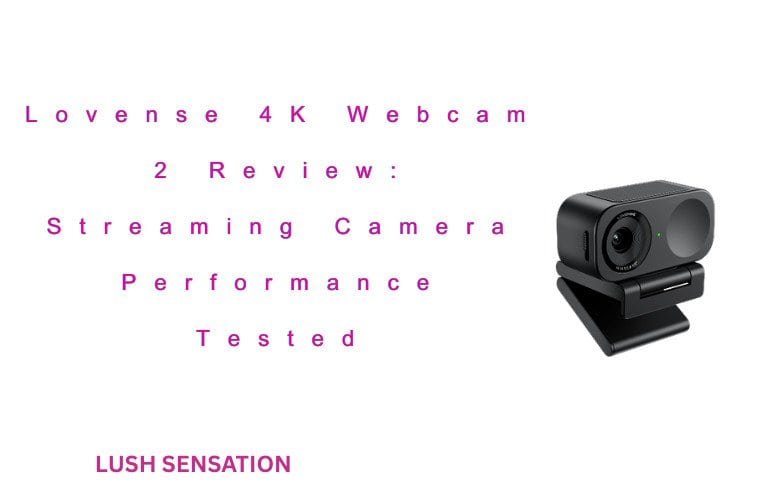
The latest version, the Webcam 2, is becoming a more popular choice for streamers. However, if you already have a full-functioning webcam, you may ask, Is the Lovense Webcam 2 worth the switch?
In this post, I’ll find out. I’ll be looking at the Webcam 2, its pros, its cons, and whether it’s a worthwhile investment.
What Are The Benefits of Using The Lovense Webcam 2?
There are several benefits to using the Lovense Webcam 2, not just for lewd streams, but for regular streams, video calls, you name it.
Here are some benefits:
Great Picture Quality
When it comes to streaming, having a webcam that looks like something out of a YouTube video from 2007 is unacceptable.
Your fans want to see you in all of your glory. The Lovense Webcam 2 is in full 4K and has low-light HDR.
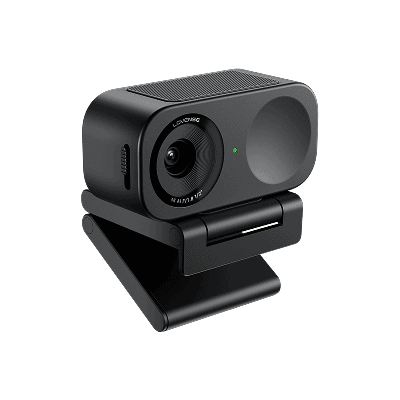
If your lighting isn’t the best, it doesn’t matter. This webcam will make you glow regardless. Of course, I’d still recommend some basic lighting to make yourself look your best.
Get yourself a little ring-light and make sure it shows off your good side!
Built-In AI Mic
With the Lovense Webcam 2, you don’t need to have a giant microphone nearby, nor do you need to fiddle with OBS settings to remove the sounds of your cats fighting in the background.
This webcam includes a microphone with AI-powered background noise cancellation and other features.
These features include the ability to balance your vocals with music, which will add a new layer of engagement.
Auto Framing and Focus
There’s nothing more annoying than being on a webcam and your camera films you like Bigfoot footage from the 1970s.

Luckily, the Lovense Webcam 2 follows your face so that you’ll always be in focus.
However, if you want to show an item to the camera, the webcam will focus on that as well.
Plenty of Ways to Control the Camera
Being a Lovense product, you better believe it’s app-controlled. However, you can also control the camera via hand gestures, which are customizable.
Or turn them off if you’re someone who is naturally handsy.
Privacy Shutter
The Lovense Webcam 2 comes with a physical privacy shutter. If you need to step away or are done streaming, you can use this shutter to maintain privacy.
Small and Lightweight
This camera is very small and doesn’t weigh too much, making it great for thin monitors or if you’re traveling.
It only weighs 46.5g and has the dimensions of 62.7×30.2x26mm. It should fit in most travel cases without taking too much space!
1 Year Warranty
Webcams are a pretty reliable technology; I’ve had several webcams that are almost a decade old that still work well.
However, this one is a little more advanced, with an AI microphone and other bells and whistles. With Lovense’s yearlong warranty, you have a little more peace of mind.
Easy to Mount
Finally, the Lovense Webcam 2 comes with a magnetic mount that can attach to your monitor or laptop with relative ease.
No need to have mounting hardware that gets in the way.
This mount also makes it much easier to travel and stream without taking up too much space.
What Comes With The Lovense Webcam 2?
The Webcam 2 comes with the webcam, a magnetic mount, a USB-C cable for connecting it to your PC, and a manual.
It’s pretty straightforward.
Now, you will need some software to use Lovense Webcam 2 fully, but it’s not the ‘90s anymore, when that would be on a CD-ROM.
Instead, you’ll need to go to their proper websites and download them.
Is The Lovense Webcam 2 Easy To Use?

The Lovense Webcam 2 is very user-friendly, being a plug-and-play camera. Simply plug the camera in, and you should be good to go.
Through the Remote app and Cam Model software, you can adjust the camera’s settings.
However, newcomers don’t need to use that right away.
What is the Lovense AI Mic Like?
I don’t know about you, but I’m a little tired of AI being a gimmick found in every product. I was a little skeptical about the AI noise canceling, thinking it would either not work at all or cancel me when I laugh.
But I was impressed. From listening to my recordings, it kept my voice intact while my fan was quiet.
Now, obviously, this microphone won’t beat a professional studio-quality microphone, or even a nice USB mic.
However, for a built-in webcam mic, it’s killer!
How To Add The Lovense Webcam 2 to a Cam Site
The best way to do this is to add the Webcam 2 to the Lovense Cam Extension application. Download the software if you haven’t already, and then log in.
When you choose your desired site, you can then click the “Video Feedback” tab and toggle “Video Feedback Configuration” to see your camera.
You can also send a test tip while you’re at it! The Lovense Widget will make sure that your tips are working well so you can make the moolah!
It’s also pretty straightforward how the camera operates. It will zoom in or out depending on your position, so you don’t have to adjust accordingly.
Alternatively, you can stream on the site directly, and there should be an option to add a camera.
Click it, select the Lovense Webcam 2, and there you go!
You can also follow this cam site connection guide
How To Connect The Lovense Webcam 2 To OBS with the Lovense Toolset
You’ll also need to download and install Lovense Stream Master, which is available for Mac or PC.
Once you do all that, go to Stream Master, click the drop-down menu next to “preview in,” select “external OBS Studio Splitcam,” then “Streamaster.”
Then, select “Connect.” It will give you a pop-up window, and choose OBS.
It will then prompt you to download OBS and the Toolset if you haven’t already. Do so, install everything, then open OBS.
This version of OBS will look a bit different than the one you’re used to, as there is a tip menu on the left-hand side and webcam controls on the right.
By doing this, you’ll see that the Webcam 2 is already good to go. Add the microphone manually (see the OBS section for more on that!)
After that, you can then open Stream Master and start streaming to the site of your choice!
Also Read: How to Use Lovense OBS Toolset: Connect Your Toys for Interactive Live Streaming
How To Connect The Lovense Webcam 2 to OBS
This step enables you to use the Lovense Webcam 2 without downloading the Lovense OBS Toolset.
While the features will be limited, this section is good if you’re planning to use the Webcam 2 for more than erotic streaming.
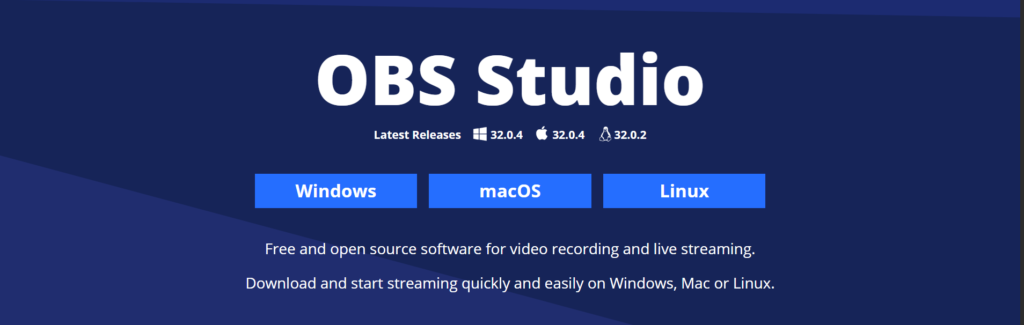
First, obviously, download the latest version of OBS.
Once OBS is downloaded, go to the “Scenes” widget and press the plus button. You can then add a scene.
You can name it depending on what aspect of streaming it will be used for, or just be lazy like me and call it Scene, Scene 2, etc.
Afterward, you can add your webcam and the webcam’s built-in microphone. In the “Sources” widget, click the plus button and then select “Audio input” on the menu that pops up.
You can then choose the Lovense Mic or use a different one. Do the same for Video Capture Device in your sources, adding the camera.
You can also name both the camera and microphone if you switch them regularly.
Then, set up the rest of your stream. Pretty straightforward!
Is Lovense Packaging Discreet?

Yes! As always, the receiver’s name and charge on your bank account will be from a vague name.
Think of something like “Shipping Department” instead of “Lovense” on your package. Also, the package will be a plain brown box or envelope.
This way, you don’t need to worry about your neighbor, roommate, or family member seeing what’s been delivered to you.
Where To Buy The Lovense Webcam 2?
The best place to buy the Lovense Webcam 2 is on Lovense’s website.
This site cuts out any middlemen, allowing you to get the best deal and also the easiest access to customer service should anything go awry.
That being said, other sites sell the webcam, such as Amazon. Because this item is not a sex toy, some third-party sellers may sell the webcam refurbished or used, allowing you to get a deal.
But this does carry the risk of the webcam breaking down with no support or warranty.
Best Practices for Maintaining Streaming Privacy and Data Security
Streaming can be fun, but you need to maintain some privacy while doing so. Granted, in the modern Internet, nothing is 100% private.
Even if you hide your face, there will be someone who can figure out who you are. It’s scary, sure, but there are luckily some ways to reduce the chances of that happening.
First, use the privacy shutter when you’re not using the webcam.
Granted, I don’t even trust that (nothing against Lovense, but it’s just the principle of it), so I just unplug the webcam when not done.
Never share a screen that reveals personal information. I always recommend having additional monitors to avoid flashing anything private.
Also, using a VPN or other privacy service never hurts, especially if you’re concerned about people knowing your true identity.
VPNs make it appear like you’re in another country, adding an extra layer of privacy.
I also like to use a private window when I’m streaming. This private window means that no one can see your search history, logged-in accounts, or other information that could potentially compromise you.
Finally, I’d always recommend reading the privacy policy of whatever site you’re streaming to. Yes, reading policies is about as exciting as watching an empty soda can, but it’s important!
You want to learn how a site collects your data and how it’s used.
Verdict: Is The Lovense Webcam 2 Worth It?
My experience with the Lovense Webcam 2 was very, very positive! The picture quality was immaculate, its AI mic and tracking worked well, and it stayed on both my streaming PC monitor and my laptop.
That being said, it being “worth it” depends on your situation. Do you already have a 4K webcam and a good mic?
You might not get too much use out of this webcam. However, if you travel a lot or are looking to upgrade that built-in laptop webcam or that cam from 2013, it’s worth the price of admission.
Also Read: How to Use Lovense Connect App – Setup, Pairing & Remote Control Guide